
Your cart is emptyAdd something meaningful and it will appear here.
Report a problem with your item
What to send us when a personalized item arrives damaged, faulty, incomplete, or different from the details you ordered.
Please check the item when it arrives. If it is damaged, faulty, incomplete, the wrong product, or has a personalization error made by us, contact us through whichever support channel is convenient for you.
Choose how to contact us
- Website chat: open the chat on our website and send your question or order issue.
- Contact form: submit your request through our Contact Us page.
- Order support ticket: open the relevant order’s details, select “Need help”, describe the problem, and submit the form.
- Email: send your request to service@nameandkin.com.
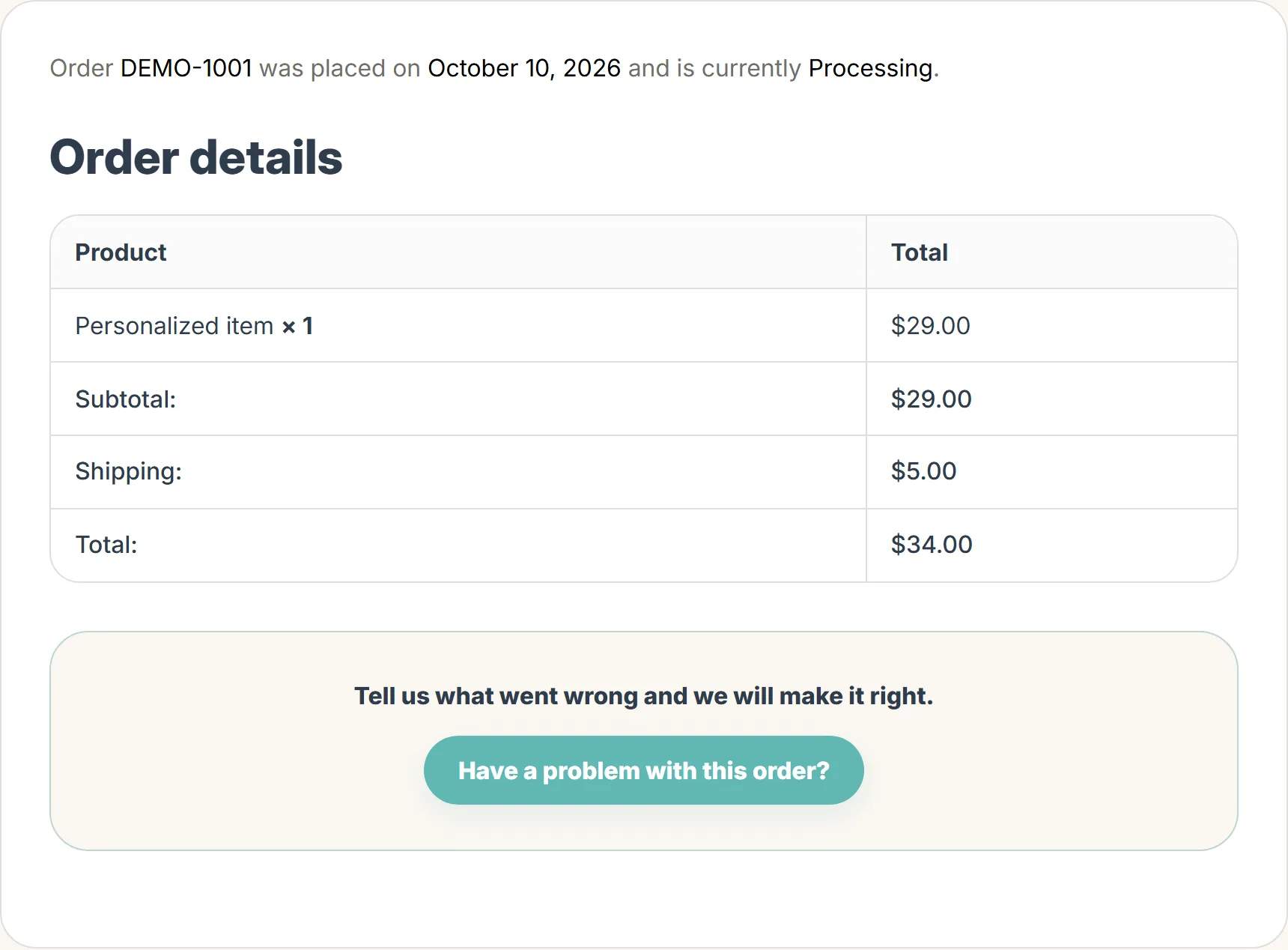
The order help entry may be labelled “Have a problem with this order?” on your order page.
You do not need to email us separately after submitting a request through chat, the contact form, or the order’s “Need help” button. If you cannot access your order details, use chat, the contact form, or email instead.
Follow the screenshots
The screenshots below show the current website with fictional example details. Use your own order number and email when contacting us.
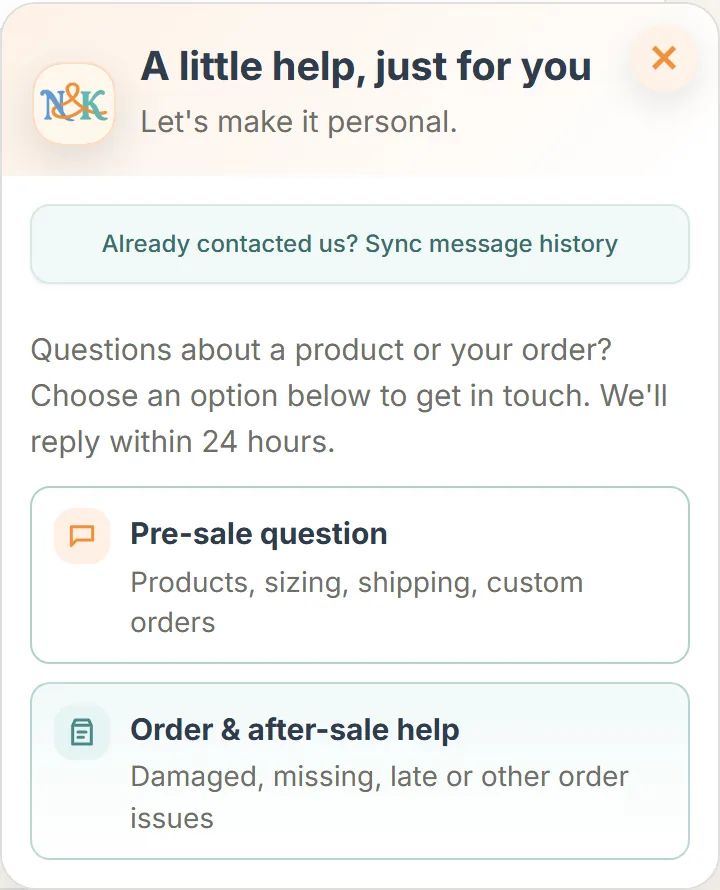
1. Open website chat
Select the chat button on our website. Choose Order & after-sale help for an existing order, or Pre-sale question for a product question.
Or start from your order page
Open the relevant order in your account and look below the order details for Have a problem with this order?. Select this button to open the order-help form with your order number filled in. The order list may also show a Need help? shortcut.
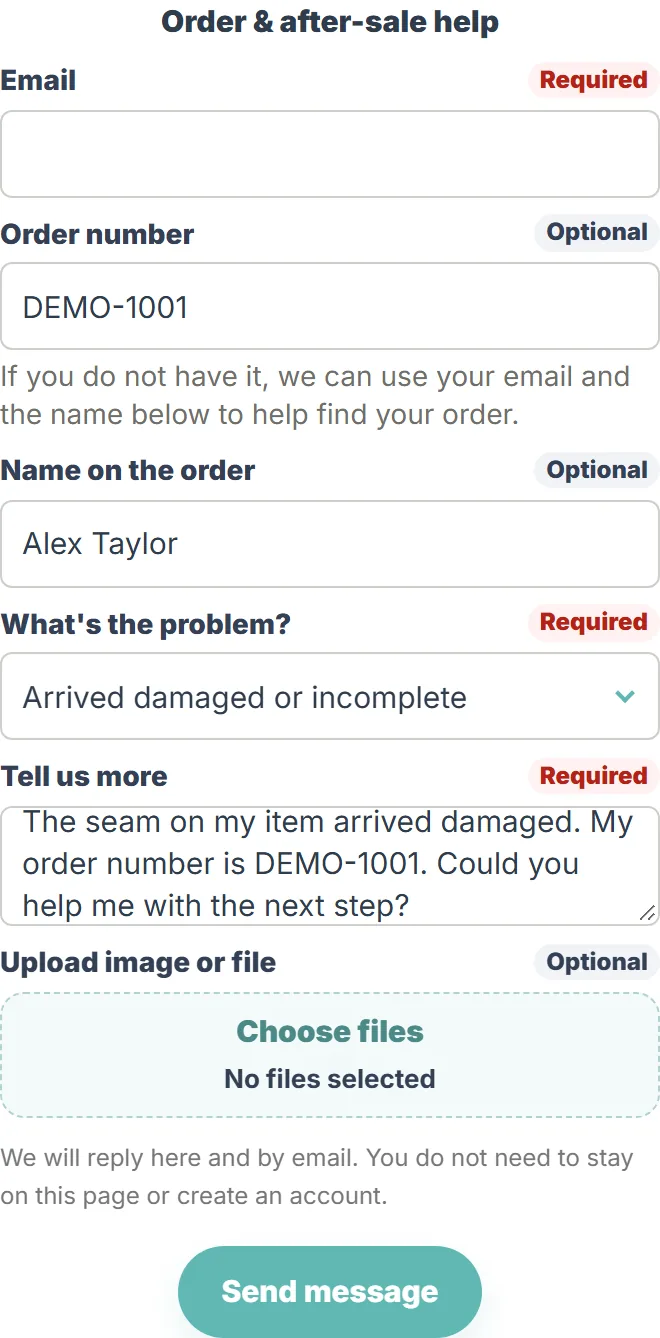
2. Describe the order issue
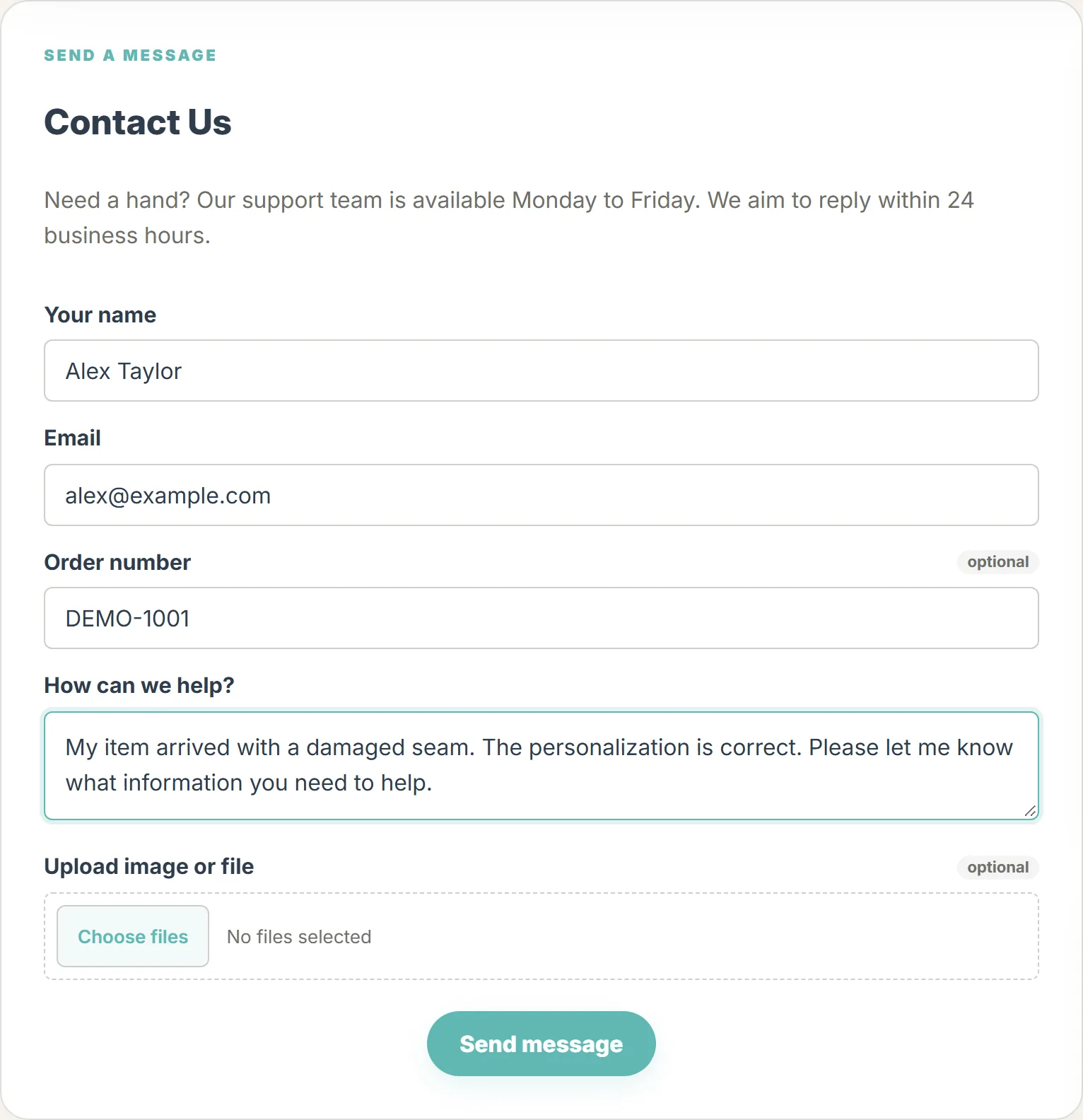
Enter your checkout email and order number if available, select the problem, and describe what happened. Use Choose files to add helpful photos, then select Send message. You can also reach this form through the help button in your order details.
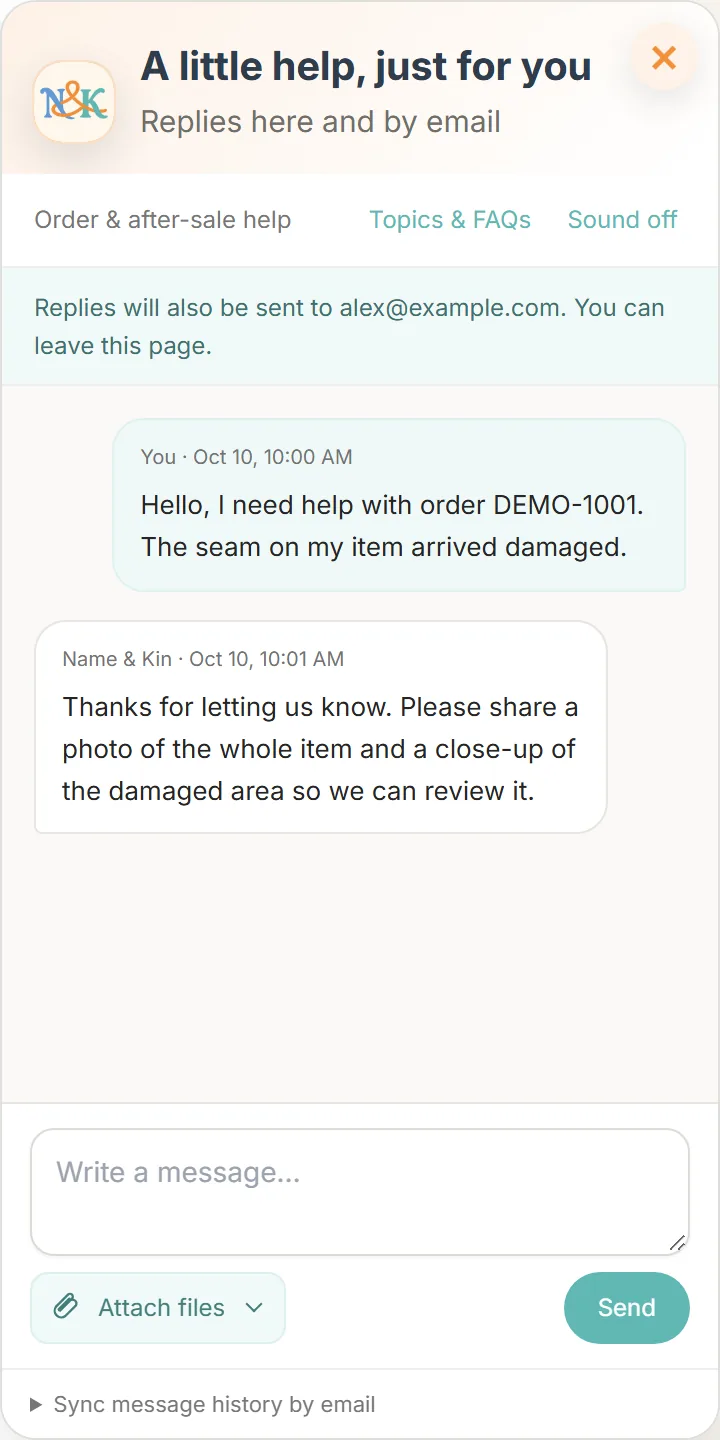
3. Continue in chat
After submitting your request, you can continue the conversation here. Use Attach files to share a photo when needed. Replies are also sent by email.
Prefer the contact form?
Open Contact Us, fill in your name, email and message, and add your order number if you have it. You can attach files before selecting Send message.
Tell us promptly
Please report a problem as soon as possible. Submit an eligible return or exchange request within 30 calendar days of delivery. This request window does not shorten your legal rights. Do not wait to contact us because you are unsure which category your issue falls into.
Useful information to include
- Your order number and checkout email, if available.
- The item affected and a short explanation of what is wrong.
- A photo of the whole item and a clear close-up of the problem.
- For delivery damage or missing items, photos of the packaging and shipping label where available.
- The solution you would prefer, so we can consider it when reviewing the issue.
Keep the item and packaging if you still have them. If you do not have photos, packaging, or an order number, contact us with the information you do have. Share only the details needed to identify and review your order.
Personalization errors
Compare the received name and options with your order confirmation. If we made an error, we will review an appropriate remedy. If the item matches details entered incorrectly at checkout, a free remake is not normally included; tell us what happened so we can explain any available next step.
Wait for return instructions
After review, an appropriate resolution may include a correction, replacement, missing part, or refund. We will explain whether a return is needed and confirm the correct destination and shipping arrangements. Do not post the item to an unconfirmed sender or office address. Read our Return & Refund Policy for the full terms.
Your feedback
Was this article helpful?
A quick answer helps us make future guides more useful.
Still need help?
Use website chat, our Contact Us form, the "Need help" button in your order details to submit a ticket, or email service@nameandkin.com. Include your order number and checkout email if available. Our team works Monday to Friday and normally replies within 24 business hours.